
Some bettors start with a market. Others start with a game: you know you're watching Braves–Phillies tonight and you want to know what's bettable in it.
Upcoming games is the second kind of starting point.
Where it lives: /dashboard/[sport]/games. Example: MLB games. Reach it from the Upcoming games section on the dashboard, or the View all games link there.
Coverage: all five sports, MLB, NFL, NBA, NCAAB, and NCAAF.
What you'll see
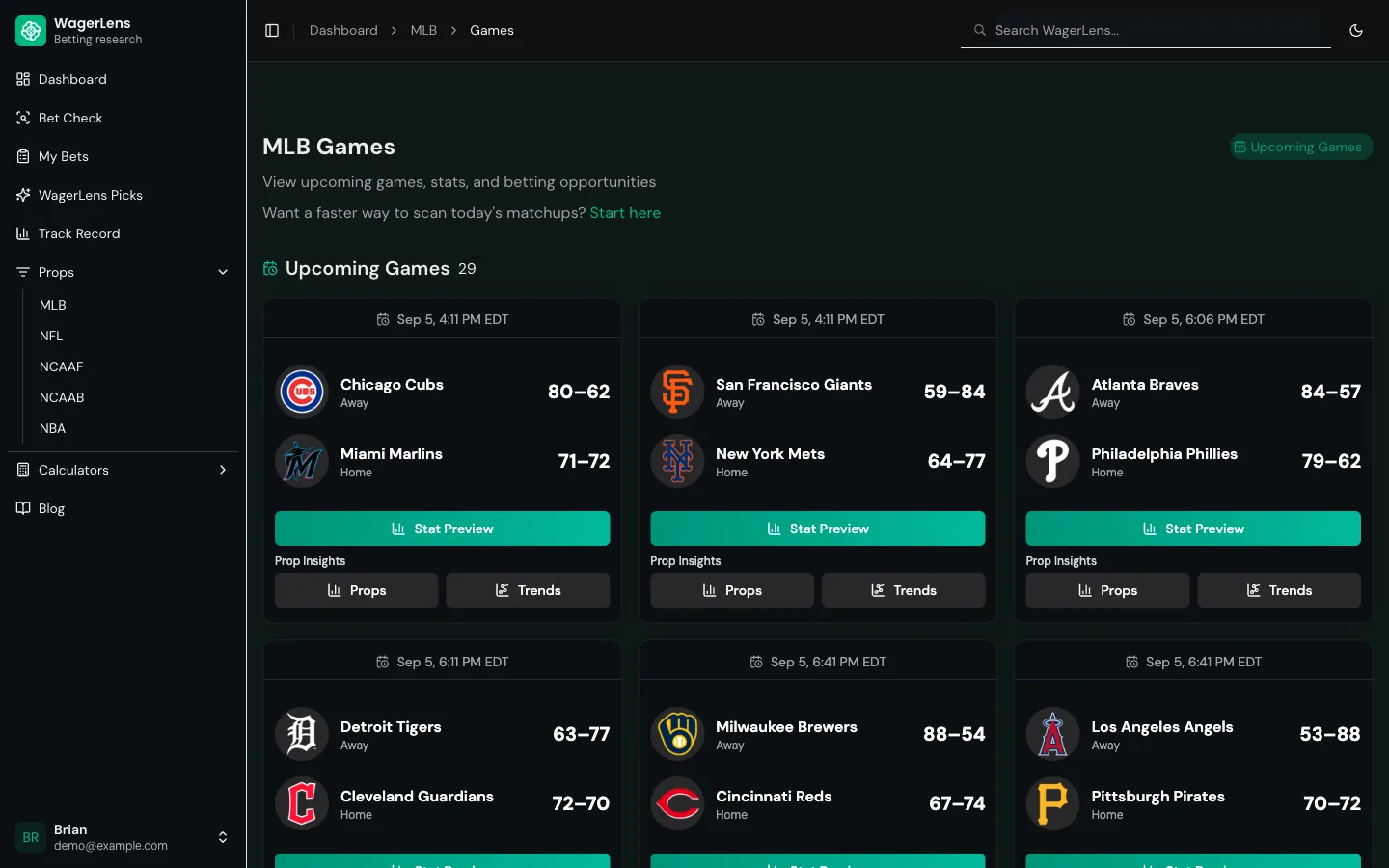
The header shows how many games are on the slate. Each card carries:
- Start time in your local timezone
- Away and home teams, labeled, with season records
- Main betting lines (spread, total, and moneyline) with book attribution
- Action button into that game's research
Games with researchable props sort toward the top, so the cards worth opening stay ahead of early-slate games still waiting on board data.
The action button
| Button | Where it takes you |
|---|---|
| Props | The props board, filtered to this game |
NCAAF cards are built for game markets. Each one carries a single Game Odds button that takes you to moneyline, spread, and total pricing for that matchup. See the coverage guide.
Each destination arrives pre-filtered to the game you came from, so you're not re-selecting the matchup on the other side.
How to use it
Watching a specific game? Open Props from its card. You get only that game's markets instead of the full slate, which is a much shorter list to read.
Deciding what's worth watching? Scan records and betting lines, then open Props on the games that look live.
Hunting props across the slate? Go straight to the props board and filter by market and EV. That's the faster path when you don't care which game it comes from.
How to read the records
The W-L on each card is season-to-date. It's orientation, not analysis.
A 77–65 team can be 2–8 in its last ten, missing two starters, and on the back end of a road trip. That's why the card is only a starting point. Use the record to know roughly who you're looking at, then click into the actual data before forming a view.
When the slate is empty
- Out of season — normal. See the coverage guide for typical season windows.
- No games today — off days happen, especially midweek in NFL and college sports.
- Games haven't been posted yet — schedules and markets populate ahead of game day, not weeks out.
Where to go next
Last reviewed: September 5, 2026 · Owner: Brian McAbee
See it live before you bet
Use the live board to compare trends, prices, and recent results.
- Every pick graded — wins and losses, no filters
- Hit rates for the exact line and recent windows
- Sportsbook price comparison on free Bet Checks
- Premium adds tracking, history and stats, and alerts
- Public track record with wins and losses